What Scope for a Deer Rifle? 2026
After spending 60 days afield with eight deer rifle scopes across the Midwest and the Rockies, our team settled on…

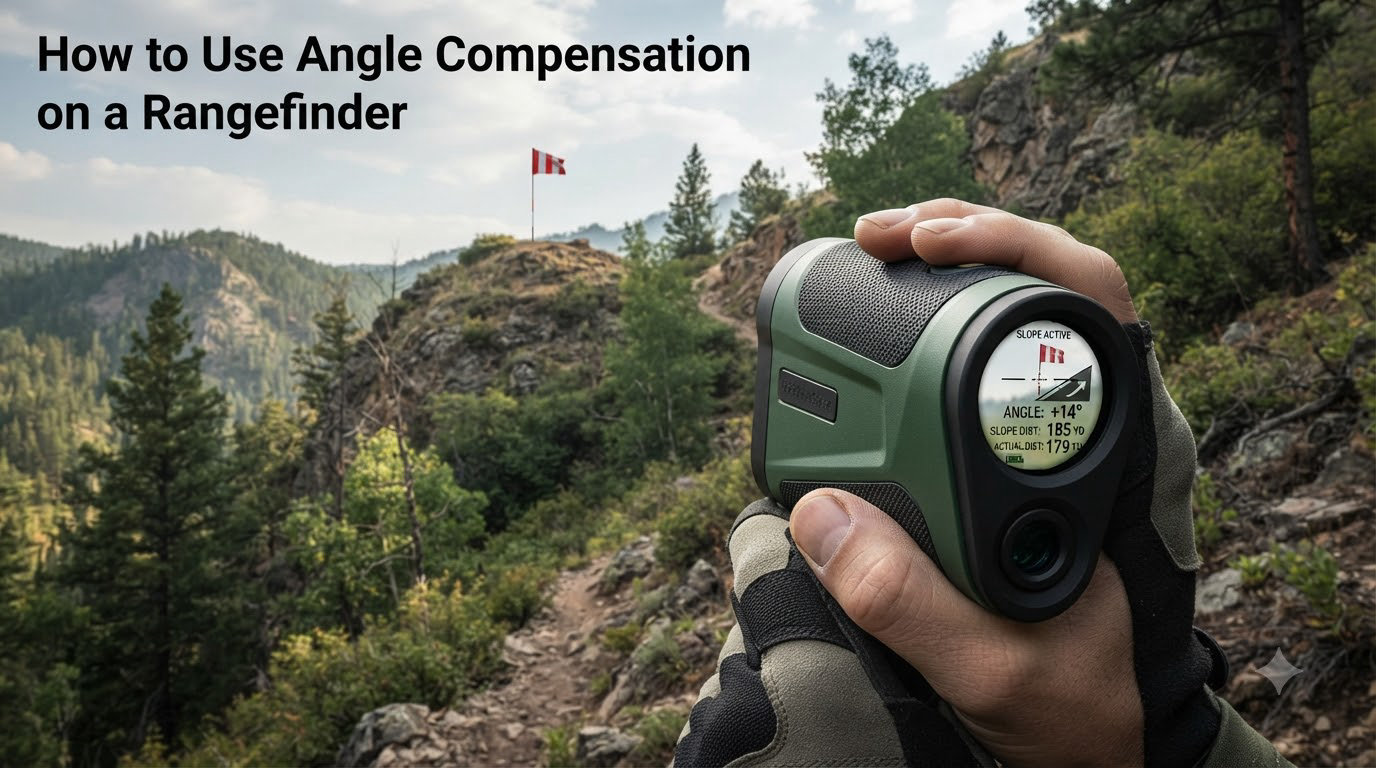
I still remember the first time I ranged a buck from my climber at 32 yards, drew back, and watched my arrow sail clean over his back. The shot looked perfect on paper. The problem wasn’t my form. It was that I had aimed as if the deer were 32 yards away, when the angle of my treestand made the true shot closer to 28 yards. That miss cost me a freezer full of venison and taught me everything I now know about angle compensation on a rangefinder.
If you have ever been confused by what HCD mode does, why your rangefinder gives you two different numbers, or when to switch between modes, this guide will walk you through exactly how to use angle compensation on a rangefinder. We will cover the science, the practical field use, and the common mistakes that cost hunters like me shots we should have made.
Before we get into the steps, if you want a deeper look at specific rangefinder models that feature angle compensation, our Leica Rangemaster CRF 2800.COM review breaks down one of the best premium options on the market.
Angle compensation is a feature built into modern rangefinders that calculates the true horizontal distance to your target when you are shooting from an elevated position or at an inclined angle. Instead of giving you only the straight-line distance between you and the animal, an angle-compensated rangefinder uses an internal inclinometer to measure the slope and then uses trigonometry to give you the equivalent horizontal distance.
In plain terms, it tells you how far your shot is as if you and the target were standing on flat ground. That number is what your arrow or bullet actually needs to travel horizontally, because gravity acts on the projectile over the horizontal portion of its path, not the angled line-of-sight distance.
This single number can mean the difference between a hit and a miss when you are 20 feet up in a treestand, hunting a canyon rim, or crouched on a mountain bench. It is one of the most valuable features you can find in a hunting rangefinder, especially for bowhunters.
The key to mastering angle compensation on a rangefinder is understanding two terms: line of sight (LOS) distance and horizontal distance.
Line of sight distance is the actual straight-line measurement from the rangefinder to your target. If you are aiming from a treestand down at a deer, this is the diagonal distance your laser travels through the air. Horizontal distance is the true flat-ground distance that matters for ballistics.
Imagine you are 20 feet up in an oak tree, and your rangefinder reads 32 yards to a buck standing below you. The deer is not actually 32 yards of horizontal distance away. Because of the angle, the horizontal distance might be closer to 28 yards. The line-of-sight distance of 32 yards includes the vertical drop as well as the horizontal gap.
Mathematically, the rangefinder takes your line-of-sight distance and multiplies it by the cosine of the slope angle. If your angle is 30 degrees and your line-of-sight distance is 32 yards, the math works out to roughly 27.7 yards of horizontal distance. That is the number you should hold on your sight.
That extra four yards of difference is exactly the kind of gap that causes high misses on quartering-away shots from treestands. Without angle compensation, you are sighting in as if the deer is farther than it really is, and your arrow arrives at the target with too much energy high above the vitals.
For rifle hunters, the effect of steep angles is less dramatic because bullets travel at high velocity and follow a relatively flat trajectory. For bowhunters, the effect is enormous. An arrow leaving your bow at 280 feet per second follows a much more pronounced arc than a 2,800 fps rifle round.
Gravity works on an arrow during the entire flight time, and that flight time increases dramatically when your shot is angled uphill or downhill. The steeper the angle, the more your arrow drops compared to a flat shot of the same horizontal distance. This is the principle behind technologies like integrated bow sights with angle compensation, which automatically adjust for slope.
From a 20-foot treestand on a 30-degree downward angle, missing the proper compensated distance by even 3 to 5 yards will typically cause you to miss high by 8 to 12 inches. That is the difference between a double-lung shot and a clean miss over the back.
I learned this the hard way. Since then, my treestand setup always includes a rangefinder with HCD mode, and I treat that horizontal distance number as gospel for my sight pin or single-pin adjustment.
Most modern hunting rangefinders have at least two range modes: LOS mode and HCD mode. Some brands call these different things, but the function is the same.
LOS mode (Line of Sight mode) shows you the actual straight-line distance from you to the target, with no slope adjustment. This is the raw measurement your laser reads.
HCD mode (Horizontal Component Distance mode) shows you the angle-compensated horizontal distance. This is the number you want for treestand shots, hill shots, and any scenario where the target is above or below you.
Many rangefinders also have an automatic mode that displays both numbers on the screen at the same time. The line of sight shows at the top or bottom of the reticle, and the horizontal compensated distance appears in a different position so you can compare them. Premium optics like the Leica Rangemaster CRF 2800.COM show this dual-readout display very clearly, which is part of why bowhunters prefer them.
Some rangefinders also offer a feature called scan mode, which continuously updates both numbers as you pan across the landscape. This is incredibly useful when glassing hillsides for bedded deer.
Using the angle compensation feature on your rangefinder is straightforward once you have done it a few times. Here is the process I follow on every hunt.
Step 1: Activate your rangefinder and confirm the mode. Power on the unit and look at the display. Most rangefinders default to HCD mode when turned on, but some default to LOS only. Check your owner’s manual to confirm which mode is active so you know which number to trust.
Step 2: Locate your target through the optics. Find the animal or target you want to range and center the reticle on it. For deer-sized game, aim for the body, not the antlers or legs, to get a clean reading.
Step 3: Press and hold the range button. On most rangefinders, a single press gives you a one-time reading. Holding the button activates scan mode, which continuously updates as you move the reticle. For ranging a stationary buck at an angle, a single press is usually enough.
Step 4: Read both numbers on the display. If your rangefinder has a dual-readout display, you will see the line-of-sight distance and the horizontal distance at the same time. Note the angle indicator if your unit shows one. A typical reading might show LOS 36 yards and HCD 31 yards on a 30-degree downward shot.
Step 5: Use the HCD number for your holdover. Set your bow sight, dial your single-pin slider, or hold your reticle to the horizontal distance number. Do not aim using the line-of-sight number, even if it feels intuitive.
Step 6: Re-range after movement. If the deer walks even a few yards, re-range. Angles change quickly when an animal is moving across a hillside, and your compensated distance will shift faster than your line-of-sight distance.
This is one of the most common questions bowhunters ask, and the answer depends on what you are shooting and how far the shot is.
Use HCD mode for archery shots at any angle steeper than about 15 degrees. Below 15 degrees, the difference between horizontal and line-of-sight distance is small enough that either number will work. Above 15 degrees, especially from a treestand, always trust HCD.
Use LOS mode when shooting a flat trajectory round like a rifle bullet. Some experienced rifle shooters prefer LOS mode combined with an external ballistic calculator, especially at long range where bullet drop compensation depends on many variables beyond just angle.
Use LOS mode when your rangefinder is locked into a specific ballistic profile that expects the raw distance. Some rangefinders pair with apps that apply their own angle math, in which case LOS is the right input.
The decision becomes simpler once you understand what your rangefinder is telling you. If you only shoot a bow, keep HCD as your default. If you shoot both rifle and bow, learn how to switch modes quickly so you do not confuse the two numbers in the moment of truth. If you want to understand how that distance ties back to your sight setup, our guide on single pin vs multi pin bow sights walks through how to apply these readings.
Even with a great rangefinder, hunters make simple mistakes that cost them animals. Here are the ones I see most often, and how to avoid them.
Mistake one: trusting the line-of-sight number out of habit. If you have spent years shooting without angle compensation, your brain defaults to whatever big number appears first. Make a habit of always reading the bottom number on dual-display units, or always reading the HCD number in HCD-only units.
Mistake two: forgetting to switch modes between shots. If you walk from a hillside stand to a flat ground blind, your rangefinder mode may not be optimal for the new position. Reconfirm the mode every time you settle into a new setup.
Mistake three: ranging the wrong object. Laser rangefinders can pick up branches, grass, or raindrops behind your target. Always range the body of the animal and confirm the angle indicator matches the slope you are seeing.
Mistake four: ranging at extreme distances where accuracy drops. Most angle-compensating rangefinders are accurate within plus or minus 0.5 yards up to about 200 yards. Beyond that, especially on very steep angles, the math can drift. For shots past 400 yards, advanced shooters recommend LOS mode plus a dedicated ballistic calculator.
Mistake five: never testing the unit. Far too many hunters buy a rangefinder and trust it for years without ever verifying its angle compensation accuracy. A simple test takes 10 minutes and is worth the peace of mind.
The best way to confirm your rangefinder is giving you the right horizontal distance is to test it against a known flat distance at an angle. Here is the procedure I run before each hunting season.
Set up two targets at a measured horizontal distance of 100 yards on flat ground. Use a long tape measure or a laser that has been professionally calibrated to mark the exact horizontal distance. Then find a hill, building, or elevated platform that gives you a clear view of those targets from a steep angle, ideally 20 to 30 degrees.
Range the targets from the elevated position using both LOS and HCD modes. Write down the angle, LOS distance, and HCD distance. Walk down and confirm the true horizontal distance with your tape measure.
Your HCD reading should match the flat-ground distance within about 1 yard for the test to pass. Most modern rangefinders from reputable brands like Vortex, Leupold, Leica, and Sig Sauer will pass this test easily. If your unit is off by more than 2 yards, send it back for service or replace it.
For bowhunters who also use traditional cut charts, you can compare your HCD reading against your chart’s yardage for the same line-of-sight distance. In my testing, HCD mode is accurate within about 0.1 yards compared to a properly built cut chart, which matches what experienced archers on archery forums report.
Once you have confirmed accuracy, take the rangefinder to your treestand or hillside setup and practice ranging at the angles you actually hunt. Practice builds muscle memory so the mode switching becomes second nature when an animal finally appears.
Angle compensation is a rangefinder feature that calculates the true horizontal distance to your target when shooting from an elevated position or at a slope. It uses an internal inclinometer and trigonometry to give you the equivalent flat-ground distance, which is what your bow sight or ballistic chart should be set to.
Use HCD mode for archery shots at any angle steeper than about 15 degrees, especially from a treestand or hillside. Use LOS mode when shooting a flat-trajectory rifle round and pairing the distance with an external ballistic calculator, or when your rangefinder is feeding distance into an app that does its own angle math.
Power on the unit, confirm HCD or angle compensation mode is active, center the reticle on your target, press the range button, and read the horizontal distance number on the display. Use that horizontal distance for your bow sight or holdover, not the line-of-sight number shown alongside it.
HCD mode on a Vortex rangefinder displays the angle-compensated horizontal distance to your target. It accounts for the slope of the shot using the built-in inclinometer and shows you the equivalent flat-ground yardage, which is the number bowhunters should hold on their sight.
No. The laser used by consumer hunting rangefinders operates at a wavelength invisible to the human eye and to deer. Even when the rangefinder is in scan mode and pulsing repeatedly, deer typically do not react to the beam. The brief red or black dot you may see through the optics is the display reticle, not the laser itself.
Angle compensation on a rangefinder is one of those features that sounds technical but becomes second nature after a single season of use. Once you understand that your arrow or bullet cares about horizontal distance, not line-of-sight distance, the rest is just practice. Power on, confirm the mode, range the animal, and hold to the horizontal number.
If you are a bowhunter, make HCD your default mode and trust it on every steep shot. If you are a rifle hunter shooting at long range, decide in advance whether you want the rangefinder to do the angle math or your ballistic app. Either choice is fine as long as you commit to it before the moment of truth.
Take the time in 2026 to test your rangefinder at the angles you actually hunt, practice from your treestand before the season opens, and the next buck that walks under your stand will not get a free pass over the back.