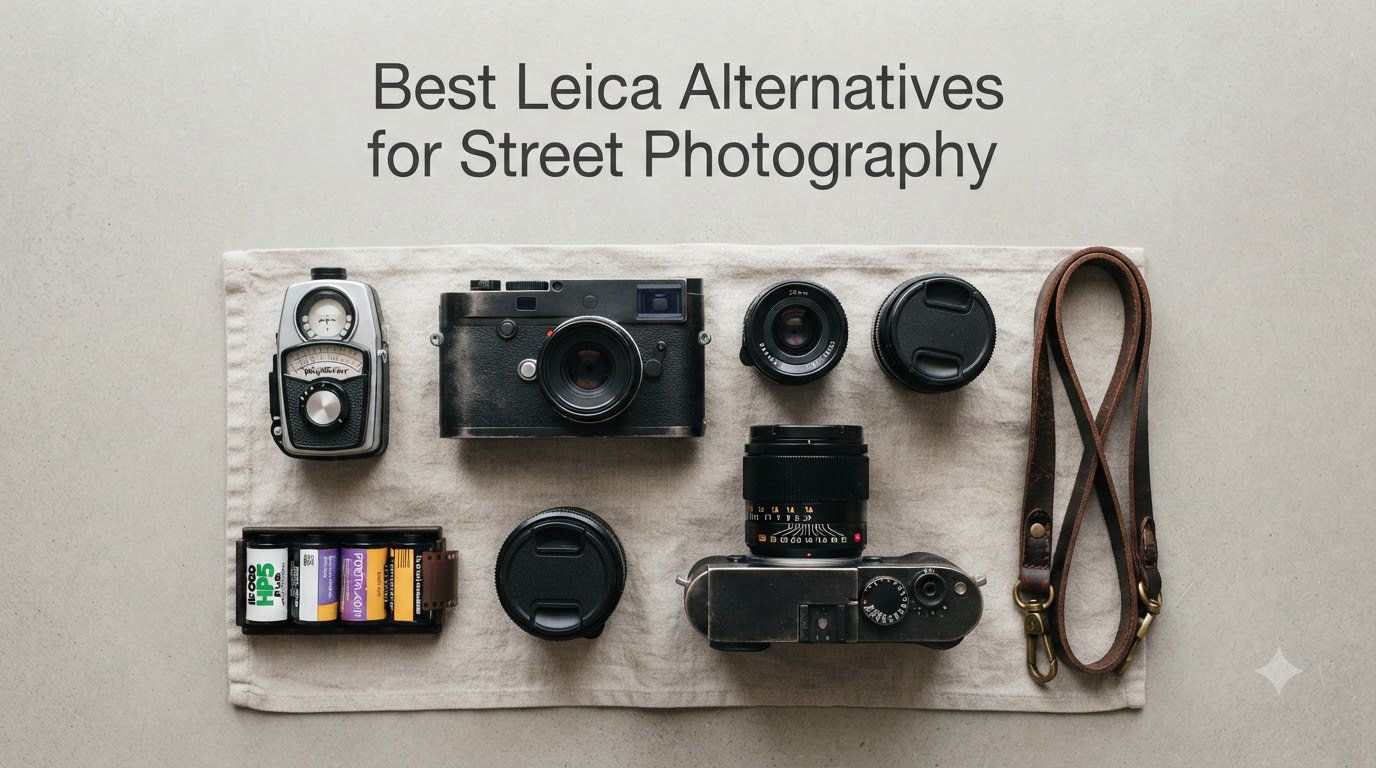
8 Best Leica Alternatives for Street Photography (October 2026)
I have shot with a Leica M6 for the better part of a decade, and I still reach for it…


Understanding iPhone focal length transforms how you capture street photography.
When you open the Camera app, you see these mysterious numbers: 0.5x, 1x, 3x, sometimes 4x or 5x.
These aren’t just random multipliers. They represent different focal lengths that dramatically change how your photos look.
iPhone focal length refers to the distance between your camera lens and sensor, expressed as 35mm equivalent measurements for easy comparison across different cameras. Modern iPhones pack multiple lenses into a single device: Ultra-Wide (~13mm), Main/Wide (~24mm), and Telephoto (~77mm, ~100mm, or ~120mm depending on your model).
This guide explains what these numbers mean, when to use each lens, and how understanding focal length can improve your street photography.
Focal length is a technical measurement that determines how much of a scene your camera captures and how subjects appear in relation to their surroundings.
It’s measured in millimeters and affects two fundamental aspects of your images: field of view and perspective compression.
35mm Equivalent: A standardized way to compare focal lengths across different cameras. Since iPhone sensors are smaller than full-frame cameras, the actual focal length (like 4.25mm) is converted to its full-frame equivalent (like 26mm) for easier understanding. This system lets photographers compare iPhone cameras to traditional cameras.
Shorter focal lengths capture wider angles of view, including more of the scene in each frame. Longer focal lengths capture narrower angles but make distant subjects appear larger and closer.
Think of it like your own vision. When you focus on something nearby, your awareness of the surroundings narrows. That’s similar to how longer focal lengths work.
When I’m shooting street photography, focal length determines my relationship with the scene and subjects.
Understanding focal length changed my street photography approach completely.
Quick Summary: Wide focal lengths (13-24mm) capture more context and show environments. Medium focal lengths (28-35mm) provide natural perspective similar to human vision. Telephoto focal lengths (70mm+) compress distance and isolate subjects from backgrounds.
Field of view is the most obvious effect. The ultra-wide camera captures nearly everything in front of you, creating expansive images that immerse viewers in the scene.
The main camera shows a natural perspective similar to what your eyes see, making images feel familiar and authentic.
Telephoto lenses zoom in on specific details while excluding distracting elements, allowing you to isolate subjects from chaotic backgrounds.
Depth of field also changes with focal length. Longer focal lengths create more background separation at the same aperture, making subjects pop against blurred backgrounds.
This makes telephoto lenses ideal for street portraits. The subject stays sharp while the environment softens into pleasing blur.
Wide lenses keep more of the scene in focus. This works great for street photography where environmental context matters as much as the subject.
Apple includes multiple cameras because no single focal length works for every shooting situation.
I’ve learned this the hard way after missing countless shots trying to force the wrong lens for the scene.
The ultra-wide handles cramped interiors and expansive cityscapes where wider coverage matters more than distortion-free rendering.
The main camera delivers the best image quality and lowest light performance, making it your go-to lens for most situations.
Telephoto lenses capture candid street moments from a respectful distance, letting you document life without disrupting the moment.
Modern iPhones take this further with computational photography and the fusion camera system.
The 48-megapixel main camera can crop to create 28mm and 35mm equivalent images while maintaining high resolution through pixel binning technology.
This gives you more creative options without carrying extra gear or switching lenses constantly.
Every iPhone model has different camera capabilities. Knowing your specific model’s options helps you choose the right tool for each shooting situation.
| iPhone Model | Ultra-Wide | Main | Telephoto |
|---|---|---|---|
| iPhone 17 Pro Max | 13mm (0.5x) | 24mm (1x) | 28mm (1.2x) | 35mm (1.5x) | 100mm (4x) |
| iPhone 17 Pro | 13mm (0.5x) | 24mm (1x) | 28mm (1.2x) | 35mm (1.5x) | 100mm (4x) |
| iPhone 17 Air | None | 24mm (1x) | 28mm (1.1x) | 35mm (1.3x) | 48mm (1.8x) | None |
| iPhone 16 Pro Max | 13mm (0.5x) | 24mm (1x) | 28mm (1.2x) | 35mm (1.5x) | 120mm (5x) |
| iPhone 16 Pro | 13mm (0.5x) | 24mm (1x) | 28mm (1.2x) | 35mm (1.5x) | 120mm (5x) |
| iPhone 15 Pro Max | 13mm (0.5x) | 24mm (1x) | 120mm (5x) |
| iPhone 15 Pro | 13mm (0.5x) | 24mm (1x) | 28mm (1.2x) | 35mm (1.5x) | 77mm (3x) |
| iPhone 15 / 15 Plus | 13mm (0.5x) | 24mm (1x) | None (digital zoom only) |
| iPhone 14 Pro Max | 13mm (0.5x) | 24mm (1x) | 77mm (3x) |
| iPhone 14 Pro | 13mm (0.5x) | 24mm (1x) | 77mm (3x) |
| iPhone 14 / 14 Plus | 13mm (0.5x) | 24mm (1x) | None (digital zoom only) |
| iPhone 13 Pro Max | 13mm (0.5x) | 24mm (1x) | 77mm (3x) |
| iPhone 13 Pro | 13mm (0.5x) | 24mm (1x) | 77mm (3x) |
| iPhone 13 / 13 Mini | 13mm (0.5x) | 24mm (1x) | None (digital zoom only) |
Notice the key changes in recent models. iPhone 17 Pro models switched from the 5x (120mm) telephoto to a new 4x (100mm) telephoto lens. The iPhone 17 Air takes a different approach entirely with a single main camera that offers multiple digital crop options.
The ultra-wide camera captures approximately 120 degrees of the scene, providing the widest angle of view available on iPhone.
I use this focal length when I need to establish context or photograph architecture from tight spaces where stepping back isn’t an option.
Street photography with the ultra-wide requires getting close to your subject, which creates an intimate perspective that draws viewers directly into the scene.
Be aware of distortion near frame edges. Straight lines curve and faces can look unnatural if positioned incorrectly, so place important subjects toward the center.
I’ve found the ultra-wide works best for environmental portraits rather than close-up faces, where distortion becomes distracting.
The main camera is your workhorse lens, delivering the best overall image quality and lowest light performance of all your iPhone’s cameras.
At 24mm equivalent, this wider-than-normal angle captures more context than a traditional lens, making it ideal for street photography where environment matters as much as the subject.
The main camera also has the largest sensor and widest aperture, which means better performance in challenging lighting conditions.
When shooting at night or in dim restaurants, this is the lens that produces usable images with minimal noise and maximum detail.
On Pro models with 48-megapixel sensors, you also get digital crop options that simulate different focal lengths without switching to a different lens.
iPhone 15 Pro and later models offer something unique: digital crop from the high-resolution main sensor, which Apple calls “optical quality zoom.”
Instead of switching to a different lens, the camera crops the center of the 48MP sensor to simulate 28mm and 35mm focal lengths while maintaining excellent detail.
35mm is my favorite focal length for street photography. It feels natural and unobtrusive, letting me capture scenes without drawing attention to myself.
Having this option without switching lenses means fewer missed shots and faster response time when decisive moments unfold.
The trade-off is slightly reduced low-light performance since you’re using fewer pixels from the sensor’s center rather than the full array.
For daylight street photography, this is rarely an issue, and the convenience of multiple focal lengths from one lens is invaluable.
Telephoto lenses bring distant subjects closer without requiring you to move physically closer, which is invaluable for street photography.
For candid street moments, this means capturing natural expressions and interactions without intruding on personal space or making subjects self-conscious.
The 3x telephoto (77mm equivalent) on iPhone 15 Pro and earlier models is a classic portrait focal length that flatters facial features and creates pleasing background separation.
The 4x telephoto (100mm equivalent) on iPhone 17 Pro models represents a shift in Apple’s approach. This new telephoto lens offers a versatile middle ground between the previous 3x and 5x options.
Why did Apple switch from 5x to 4x? The 100mm focal length is more practical for everyday use while still providing excellent reach for street photography and portraits.
The 4x telephoto also incorporates a 48MP sensor on iPhone 17 Pro, enabling better digital zoom options and improved low-light performance compared to previous telephoto cameras.
The 5x telephoto (120mm equivalent) on iPhone 16 Pro Max models is even more specialized, ideal for tight street details and compressed perspectives that stack visual elements together.
I use telephoto lenses for street details like signs, shadows, graphic patterns, and isolated moments that might get lost in wider shots.
Keep in mind that telephoto lenses require more light than the main camera. In dim conditions, you’re often better off using the main camera and cropping later in post-processing.
Quick Summary: Switch between focal lengths by tapping the 0.5x, 1x, 2x, 3x, 4x, or 5x buttons in Camera app. On iPhone 15 Pro and later, swipe the zoom wheel to select 1.2x (28mm) or 1.5x (35mm) crops from the main camera. On iPhone Air, access 1.1x, 1.3x, and 1.8x options from the single main camera.
Changing focal length on your iPhone is simple once you know where to look and understand the available options.
Open the Camera app and you’ll see small buttons above the shutter representing your available optical focal lengths.
These buttons vary by model: 0.5x and 1x are universal, with 3x, 4x, or 5x appearing on Pro models that include telephoto lenses.
Tap any of the numbered buttons to instantly switch to that lens, with the camera preview updating immediately so you can see exactly how the scene changes.
For iPhone 15 Pro and later, there’s an additional feature: the zoom wheel, which provides finer control over focal length selection.
Swipe the zoom wheel left or right to reveal the 1.2x and 1.5x options, which are digital crops from the main camera rather than separate lenses.
These digital crop options give you more creative control without switching physical lenses, maintaining image quality while providing flexibility.
You can also pinch-to-zoom anywhere on the screen, which activates digital zoom between your optical focal lengths.
Be careful with digital zoom beyond 2x or 3x from optical focal lengths. Image quality degrades quickly as you move away from native sensor resolution.
My iPhone always opens at 1x, but I prefer starting at 1.5x (35mm) for street work to match my preferred shooting style.
Here’s how to change your default focal length on iPhone 15 Pro and later models with the zoom wheel feature:
1. Open Settings and tap Camera
2. Tap “Default Camera” or “Compose”
3. Select “Last Used” or your preferred focal length from the available options
This saves time when shooting. Your preferred lens is ready immediately, reducing the chance of missing decisive moments while fumbling with controls.
For older iPhone models without the zoom wheel, the camera always defaults to the main lens (1x), requiring manual switching to ultra-wide or telephoto each time you open the app.
For iPhone Air users, you can customize which digital crop appears as default when opening the Camera app, giving you quick access to your preferred focal length.
Understanding the difference between optical and digital zoom is critical for maintaining image quality when shooting street photography.
Optical Zoom: Uses actual glass lens elements to magnify the image. Maintains full image quality. Available at 0.5x, 1x, 3x, 4x, and 5x on Pro models depending on the specific iPhone version.
Digital Zoom: Crops the center of the sensor and enlarges it. Reduces image quality progressively as you zoom further. Used between optical focal lengths and beyond the maximum telephoto range.
Optical Quality Zoom: Apple’s marketing term for digital crops from the high-resolution 48MP main sensor. The 1.2x (28mm) and 1.5x (35mm) options on newer iPhones maintain excellent quality because they start with enough pixels to produce detailed 12MP final images despite cropping.
Optical zoom preserves every pixel from your camera’s sensor, delivering the sharpest possible images with maximum detail and color accuracy.
Digital zoom throws away pixels to create the appearance of zooming, which progressively reduces image quality, sharpness, and detail as you zoom further from native focal lengths.
For critical street photography work, I stick to optical focal lengths whenever possible to ensure the best possible image quality.
The 1.2x and 1.5x options on newer iPhones are a special case that Apple calls “optical quality zoom” because they maintain such high quality despite being digital crops.
Because they crop from a 48-megapixel sensor, the quality loss is minimal for most purposes, making them practical options for everyday shooting.
Street photography has unique demands that make certain focal lengths more useful than others for capturing authentic urban moments.
After shooting streets with iPhones for years, I’ve developed clear preferences based on different shooting scenarios and personal comfort levels with subjects.
The right focal length depends on your street photography style, the types of scenes you want to capture, and your comfort level photographing strangers in public spaces.
35mm equivalent is my favorite focal length for street photography, offering the perfect balance between context and subject isolation.
It’s close enough to capture emotion and detail in faces, yet wide enough to include environmental context that tells the story of where and when the photo was taken.
Many legendary street photographers worked with this perspective, establishing 35mm as a classic focal length for documentary and street work.
The 1.5x crop on iPhone 15 Pro and later models gives you exactly this focal length, making it easy to access this classic street photography look.
On older iPhones, you can approximate it by cropping 24mm images in post-processing, though you’ll lose some resolution in the process.
35mm feels natural without being intrusive. Subjects rarely notice you’re photographing them, allowing for more genuine expressions and unguarded moments.
iPhone’s default 24mm captures more scene than traditional street photography lenses, making it ideal for environmental storytelling.
This wider perspective works beautifully when you want to show the relationship between people and their environment, revealing context that narrower lenses would exclude.
I use 24mm when the background tells as much story as the subject, creating images that document not just moments but entire scenes and atmospheres.
City streets, architecture, and urban landscapes all benefit from this wider perspective, which can capture multiple layers of interest in a single frame.
The downside is subjects appear smaller in the frame, requiring you to be closer than feels comfortable for impactful street portraits.
This trade-off between intimacy and context is why many street photographers carry multiple cameras or frequently switch between focal lengths.
The 28mm option (1.2x on compatible iPhones) splits the difference between wide and normal, offering a versatile middle ground.
It’s tighter than 24mm but still captures reasonable context, making it useful when you want less environmental distraction than wider lenses provide.
This works well for street scenes where you want a bit more focus on your subject while still showing enough surroundings to establish place and atmosphere.
I find 28mm useful when I’m not sure whether to go wide or tight, providing a safe option that works in many situations without extreme perspective effects.
It’s particularly effective in urban environments where you want to capture people within their surroundings without the extreme distortion of wider focal lengths.
Ultra-wide requires deliberate use for street photography, as the extreme perspective can overwhelm your subject if you’re not careful with composition.
The dramatic perspective can create powerful images when used intentionally, but it can also distract from your main subject if elements near frame edges introduce distortion.
I use 13mm when photographing from extremely close distances or in confined spaces where wider coverage is essential to capture the full scene.
Subway stations, narrow alleys, crowded events, and architectural interiors all benefit from the ultra-wide perspective, which can make small spaces feel expansive and dramatic.
Get close to your subject with this lens. The results feel immersive and immediate, drawing viewers directly into the scene rather than observing from a distance.
Just be mindful of distortion. Position faces and important subjects toward the center of the frame where rendering is most accurate.
Telephoto lenses let you capture street moments from across the street or even farther away, providing access to scenes that would be impossible with wider lenses.
This is useful when you don’t want to interrupt the scene or make subjects self-conscious, allowing for more authentic documentation of public life.
Longer focal lengths also compress perspective, making background elements appear closer to your subject and creating layered compositions that flatten depth.
This compression effect can create graphic, abstract compositions that emphasize patterns, shapes, and relationships between different elements in the scene.
I use telephoto for street details like signs, shadows, graphic patterns, and isolated moments that might get lost in wider environmental shots.
The limitation is requiring more distance between you and your subject. In dense urban environments, you may not have enough room to step back and frame properly.
Telephoto lenses also require more light to perform well, so they’re less effective in dim conditions where the main camera would produce cleaner images.
| Situation | Best Focal Length | Why |
|---|---|---|
| Candid street moments | 35mm (1.5x) | Natural perspective, unobtrusive distance |
| Environmental portraits | 24mm (1x) | Shows context and surroundings |
| Distant subjects | 77mm-120mm (3x-5x) | Captures without disturbing scene |
| Tight spaces / indoors | 13mm (0.5x) | Captures everything in confined areas |
| Street details / patterns | 77mm-100mm (3x-4x) | Isolates graphic elements |
| Low light conditions | 24mm (1x) | Best sensor, widest aperture |
Understanding focal length is just the first step. Applying this knowledge intentionally will transform your iPhone photography beyond simple snapshots.
These practical tips will help you make the most of your iPhone’s multiple focal lengths and improve your street photography results.
I sometimes force myself to shoot with only one focal length for an entire day or week to develop consistency and vision.
This constraint teaches you to see differently and work within limitations, forcing you to move your body instead of relying on zoom buttons.
You’ll stop relying on zoom and start composing more thoughtfully, considering how distance and perspective affect the final image before raising your camera.
Try spending a week using only 35mm (1.5x) for street photography, or challenge yourself to shoot exclusively with 24mm for environmental documentary work.
Your consistency and vision will improve dramatically as you learn to pre-visualize how scenes will look through your chosen focal length.
Digital zoom degrades image quality by throwing away pixels, while physical movement preserves the full resolution of your iPhone’s sensor.
Whenever possible, step closer or farther from your subject instead of pinching to zoom, ensuring the sharpest possible images with maximum detail.
Your images will be sharper and more detailed, maintaining the quality that makes iPhone photography so capable for serious work.
This also forces you to be more deliberate about your position relative to the scene, considering perspective and composition before taking the shot.
Street photography is about being present in the scene, not just observing from a distance. Moving your feet puts you in the right place for better images.
Social media crops affect how focal length renders in practice, so it’s important to plan for your intended output format when shooting.
Instagram Stories use the full sensor width, showing the entire frame exactly as captured, while Instagram square crops significantly change the effective focal length.
A 24mm image cropped to square feels even wider due to the additional crop, potentially changing the intended effect and relationship between elements.
Think about whether you’ll be cropping for specific platforms and choose your focal length accordingly, or shoot wider than necessary to allow room for post-processing.
Planning for your final format when choosing focal length ensures your images maintain their intended impact regardless of how they’re ultimately displayed.
Spend time with each of your iPhone’s focal lengths in various lighting situations to understand their strengths and limitations.
You’ll discover practical capabilities and boundaries that aren’t obvious from specifications alone or from shooting in ideal conditions.
The telephoto might struggle in dim restaurant light but excel in golden hour portraits where the compression effect creates beautiful background separation.
The ultra-wide might introduce too much distortion for portraits but work perfectly for architectural details where the exaggerated perspective adds drama.
Knowing these limitations beforehand prevents missed shots and helps you choose the right lens instinctively when decisive moments unfold.
You’ll see “35mm equivalent” throughout any photography discussion, and understanding this term is key to making sense of iPhone focal length specifications.
This term often confuses beginners but is actually quite simple once you understand the reference point and why it matters for comparing different cameras.
Full-frame cameras (35mm format) have been the professional standard for decades, establishing a consistent reference point for discussing focal lengths across different camera systems.
All focal lengths are compared to this reference point for consistency, making it possible to understand how a wide-angle lens on a phone camera compares to a traditional camera lens.
Your iPhone’s main camera has an actual focal length around 4-5mm, which sounds incredibly small compared to traditional camera lenses.
But because the sensor is smaller than full-frame, it captures a similar field of view as a 24mm lens on a full-frame camera, which is why we say it’s “24mm equivalent.”
This standardized measurement helps you understand what you’ll capture regardless of camera type, making it easier to choose the right lens for each shooting situation.
When I shoot with my dedicated camera at 35mm, I know the iPhone’s 1.5x option will give me similar coverage, making it easy to switch between devices while maintaining a consistent vision.
This consistency makes switching between iPhone and dedicated cameras seamless, allowing you to use the right tool for each situation without relearning how focal lengths behave.
iPhone cameras have multiple focal lengths depending on the lens. The main camera is approximately 24mm equivalent (1x), the ultra-wide is about 13mm equivalent (0.5x), and telephoto options range from 77mm (3x) to 100mm (4x) to 120mm (5x) depending on your iPhone model. iPhone Air offers a single main camera with digital crop options at 28mm, 35mm, and 48mm.
35mm equivalent is a standardized way to compare focal lengths across different cameras. Since iPhone sensors are smaller than full-frame cameras, the actual focal length is converted to show what full-frame lens would produce the same field of view. This makes it easier to understand how wide or telephoto a lens will be and helps photographers choose the right focal length for each situation.
The 0.5x setting on iPhone uses the ultra-wide camera, which has a focal length of approximately 13mm equivalent. This captures about 120 degrees of view, making it ideal for landscapes, architecture, and tight spaces where you need to fit everything in the frame. Be aware of distortion near the edges when photographing people.
The 2x setting on iPhone is a digital zoom from the main camera, not a separate lens. It provides approximately 48mm equivalent focal length by cropping the center of the 24mm main sensor. iPhone Pro models offer 1.2x (28mm) and 1.5x (35mm) options that use the high-resolution main sensor for better quality. iPhone Air includes a 1.8x option (48mm equivalent) as a digital crop.
Open the Camera app and tap the 0.5x, 1x, 3x, 4x, or 5x buttons above the shutter to switch between optical lenses. On iPhone 15 Pro and later, swipe the zoom wheel to access 1.2x (28mm) and 1.5x (35mm) digital crop options. On iPhone Air, access 1.1x, 1.3x, and 1.8x from the zoom wheel. You can also pinch-to-zoom for digital zoom between these focal lengths.
iPhone telephoto focal lengths vary by model. iPhone 17 Pro and 17 Pro Max include a 100mm equivalent (4x) telephoto lens. iPhone 16 Pro and 16 Pro Max include a 120mm equivalent (5x) telephoto lens. Earlier Pro models include a 77mm equivalent (3x) telephoto lens. Non-Pro iPhones rely on digital zoom instead of optical telephoto lenses.
Optical quality zoom is Apple’s marketing term for digital crops from the high-resolution 48MP main sensor. The 1.2x (28mm) and 1.5x (35mm) options maintain excellent quality because they start with enough pixels to produce detailed 12MP final images. Unlike traditional digital zoom which degrades quality quickly, these crops are practically indistinguishable from optical focal lengths for most purposes.
Yes, iPhone Pro models have optical zoom through multiple physical lenses. The 0.5x, 1x, 3x, 4x, or 5x settings use separate camera lenses for true optical zoom. Digital zoom is used between these optical focal lengths and beyond the maximum telephoto range, which gradually reduces image quality. The 1.2x and 1.5x options use pixel binning to maintain quality despite being digital crops.
iPhone 17 Pro has three optical focal lengths: 13mm (0.5x ultra-wide), 24mm (1x main), and 100mm (4x telephoto). The main camera also offers digital crop options at 28mm (1.2x) and 35mm (1.5x) by using the center of the 48-megapixel sensor. This gives five effective focal lengths from three physical lenses, with the new 4x telephoto replacing the previous 5x option for more practical everyday use.
The 4x setting on iPhone 17 Pro uses a new telephoto lens with 100mm equivalent focal length. This replaces the 5x (120mm) telephoto from previous models, offering a more versatile middle ground between portrait and extreme telephoto photography. The 4x telephoto also incorporates a 48MP sensor, enabling better digital zoom options and improved low-light performance compared to earlier telephoto cameras.
The best iPhone focal length is the one that serves your vision for the photo and helps you capture the scene as you imagine it.
Modern iPhones give us unprecedented creative options in a pocketable device, with multiple focal lengths that would have required carrying several lenses and cameras in the past.
Understanding what each option does lets you choose deliberately instead of shooting on autopilot, resulting in more intentional and impactful street photography.
Start by paying attention to which focal length you naturally gravitate toward, then experiment with the others to expand your visual vocabulary and creative options.
Your street photography will benefit from this deeper understanding of your tools, allowing you to focus on capturing moments rather than fumbling with camera settings.
For more street photography tips and gear guides, explore other resources on the site to continue improving your mobile photography skills.